Display Issue in Mega Menu component in all templates - Forum | JoomShaper
Solved Helix Framework

Display Issue in Mega Menu component in all templates

Asked by Murugappan Ramanathan 5 years ago Last activity 5 years ago

Hi,

I used the mega menu feature in a template and added a number menu items . When i selected the menu item, the display of the menu runs outside the page container (https://prnt.sc/1qawt7h).

Initially i though it was the particlar template (Wayne) that gave this problem but later i found it was the same with a few other templates and Helix Ultimate 1. This is very embarrasing for us. So i decided to use straight menus.

I was so hopefully that this would be resolved in Helix Ultimate 2 but, to my disappointment, its happening here too. Please help.

Accepted answer

Marked as the solution
Ofi Khan Staff

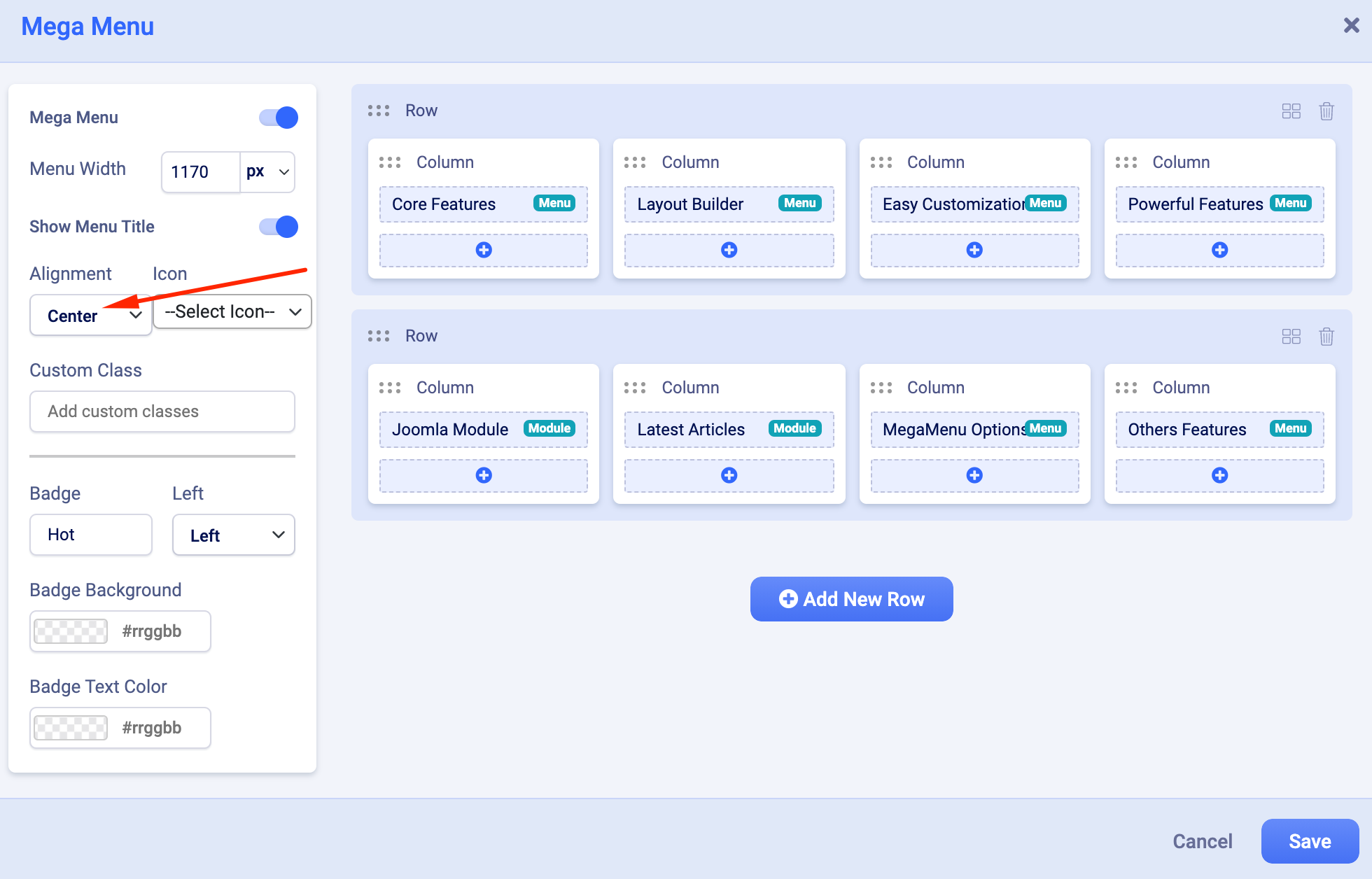
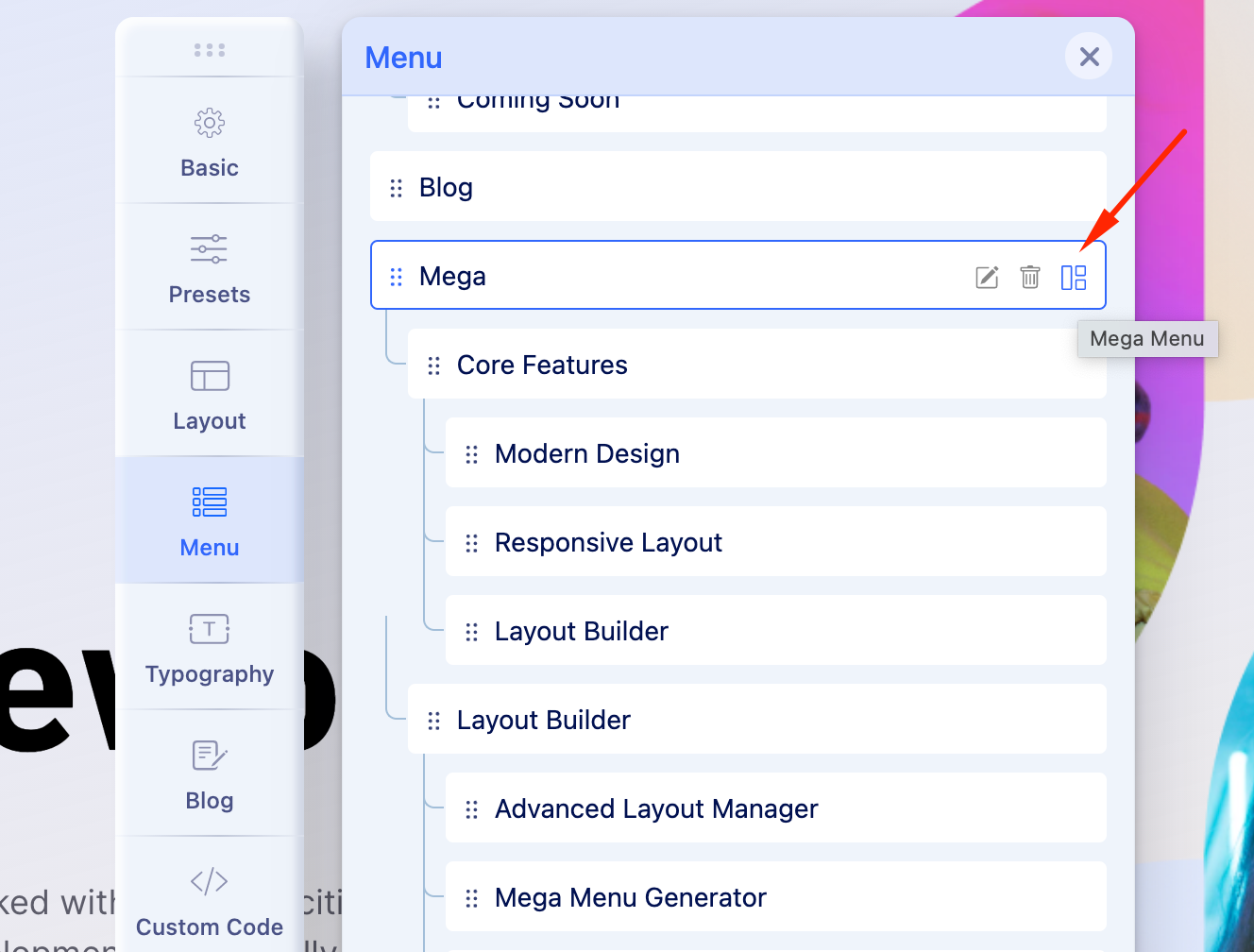
I have set Mega Menu alignment to center. Please check now.

Screenshot at Aug 28 11-10-20.png

Screenshot at Aug 28 11-11-38.png

6 more replies

Ofi Khan Staff

Hello Murugappan Ramanathan

I think this is because of CSS issue. Please share the URL here to investigate the issue.

Best regards

Murugappan Ramanathan Asked this

Hi,

I have given the url and credentials. This a Helix Ultimate 2 site. Just could not understand how a css issue exists with a fresh installation of Helix Ultimate 2. It is even more confusing to note that its happening with Ultimate 1 template as well.

Appreciate your explanation and resolution.

Thank you

Ofi Khan Staff

Thanks for the access. In the meantime, we have figured out that this is our product bug. Developers are working to fix it. Please allow us some time.

Murugappan Ramanathan Asked this

Hi Ofi,

I just installed the latest Ultimate version 2.0.2 and the problem is still persisting. When will this bug be fixed. It is terribly embarassing for us in the public. I had to revert to flat menu.

Please advise.

Murugappan Ramanathan Asked this

Hi Ofi,

I set to left and now it works for left too. Thank you.

Ofi Khan Staff

You are welcome.

Log in to reply.