Reviews
Joomla 4, 5, 6
Updated 8 Oct 2024
1 min read
You need to browse to Components > SP LMS > Reviews > Click “+New”. Then you’ll be presented with the following screen.
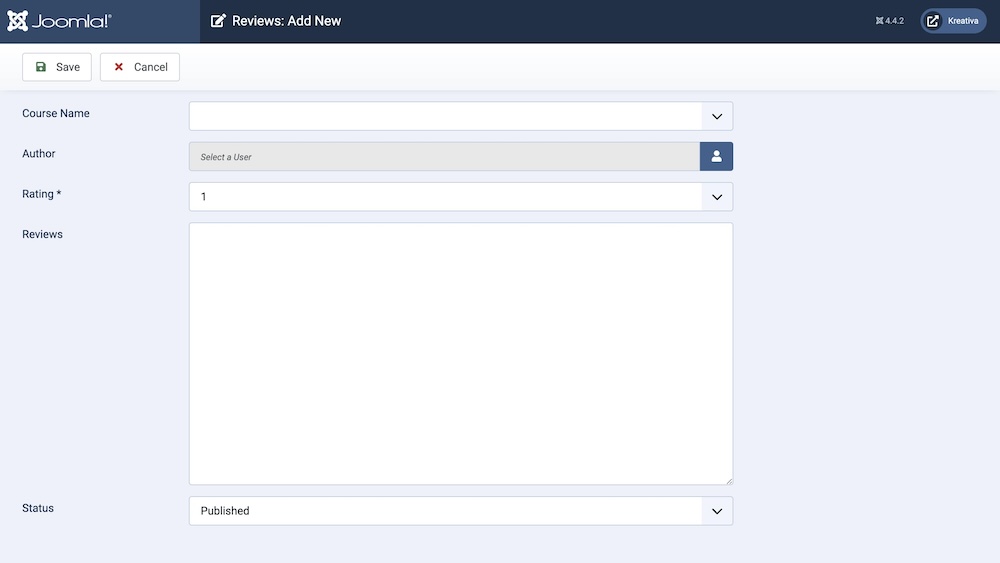
Course Name: Set which course this review applies to.
Author: Select the user who entered the review.
Rating: Provide ratings for the review.
Review: This field contains the actual review text.
Status: You can show/hide a review by changing its status from Published/Unpublished.