Multilingual Support for Details and Index pages
Joomla 3, 4, 5, 6
Updated 8 Sep 2026
1 min read
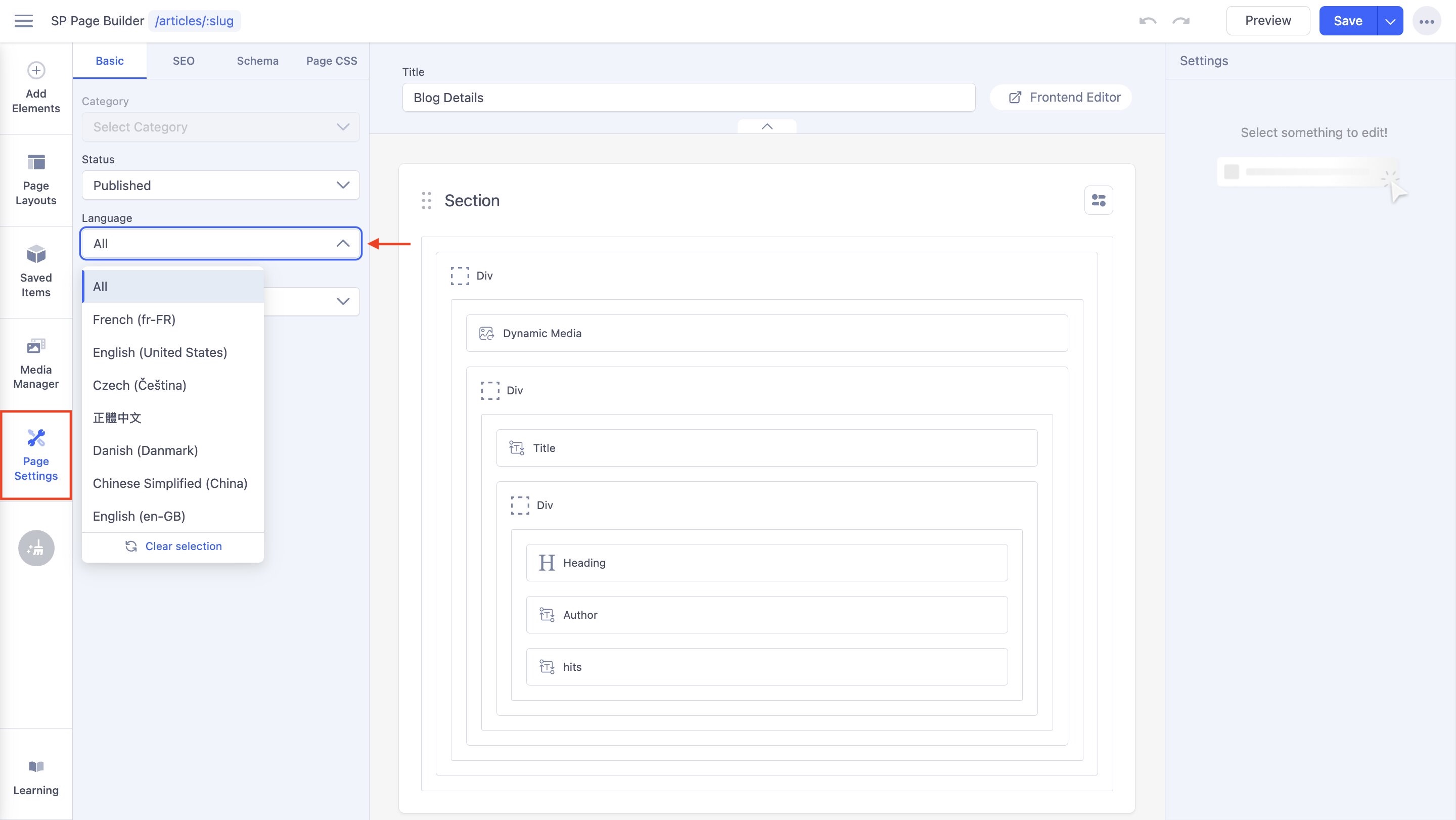
You can translate Details and Index pages made with Dynamic Content and create separate versions of those pages based on specific languages.
When editing a dynamic content page with SP Page Builder:
- Go to Page Settings > Basic and select the Language using the dropdown menu.
- Based on the language you select, a new version of the page will be used.
- Translate the text in addons that contain text fields, such as the Text Block, Heading, Button addons, etc.
- Click Save.
This will not change the original page or other language versions; instead, it will save a version containing the translations for the particular language chosen. - Feel free to pick a different language and add its respective translations following the same process.
- You can later access the translated versions of the pages separately from the Pages dashboard once they have been created. This means that if you wish for alternate language pages to also feature different designs and layouts, you have the capability to do so, with all content continuing to be used dynamically.
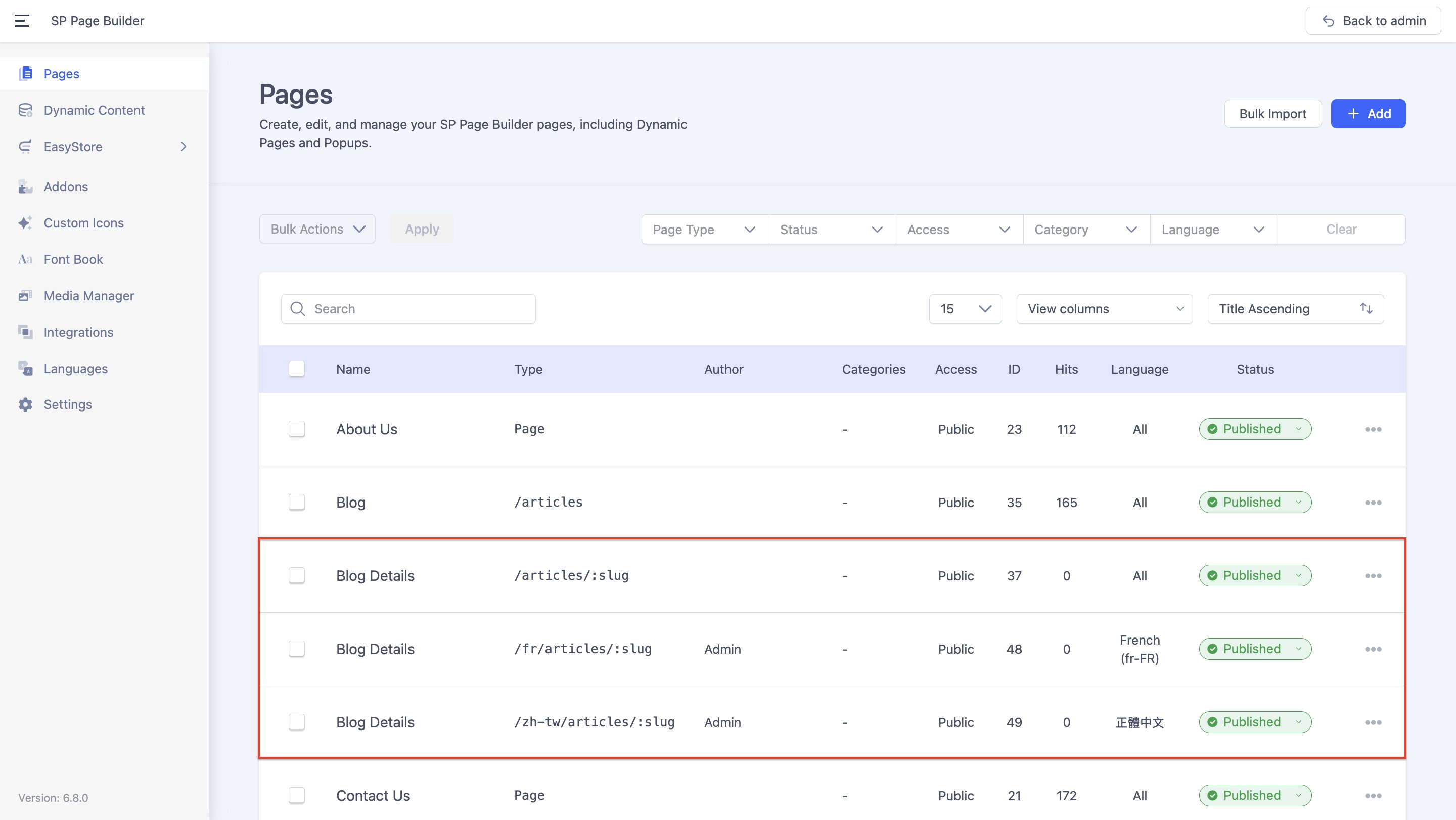
Note: The above pertains to the non-dynamic elements of the Details and Index pages. To translate the dynamic content collection items themselves, you'll need to do so individually.
To make sure dynamic content items are translated in the pages as well, be sure to follow these steps:
- First, navigate to SP Page Builder > Dynamic Content.
- Choose the relevant collection, click on an item, and then change its Language.
- Enter the translations and save them as a new item.
Upon changing the language, users will encounter the translated versions of items corresponding to that selection.