Solved Templates

Helix Ultimate 2.0.12 - Enabled Search - change input field to search icon?

Asked by Franck H. 3 years ago Last activity 3 years ago

Hello,

I'm using the Helix Ultimate Template 2.0.12, and I've endabled the Seach in the header function.

For the moment It shows me the Input field for the search, but I know that it's possible to use only a icon instead of the input field. I even thing it's standard with the template. But I can't find the setting.

Can you please help me? And can you please tell me what I have to do?

Thanks a lot for your help.

Frank

Accepted answer

Marked as the solution
Paul Frankowski Senior Staff

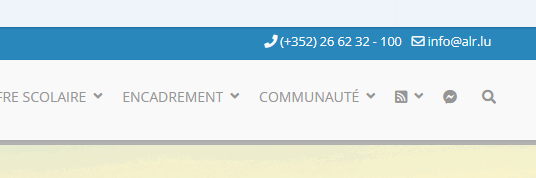
Done, check menu.

I used menu item with search icon, that's all

info_931_2023.gif

2 more replies

Rashida Rahman Staff
3 years ago · edited

Hi there!

Thanks for contacting us.

Yes, you are right. If you use the predefined header then you can turn on the search option to get a search field in the header. But there is no default option to convert it as only a search icon instead of the input text field.

However, the following conversations may help:

https://www.joomshaper.com/forum/question/11781

https://www.joomshaper.com/forum/question/12662

Note: Customization support is prohibited here.

Best Regards

Franck H. Asked this

Thanks Rashida and Paul for your return.

That with the search icon in the menu, that I've found in your forum here. Thanks. I just thought that in the Helix Ultimate Template with the predifined headers, I've crossed the possibility - when clicking on this icon that you can enter the keyword in the center of the screen.

But I understand that the customization is not your part.

Thanks again for your answers.
Frank

Log in to reply.