

Can't Get Secondary Menu To Display
CA
Chris Austin
Hello,
I am trying to have several video pages displayed on my site and must be missing something very simple. https://dev.cornerstonechurchmemphis.org/
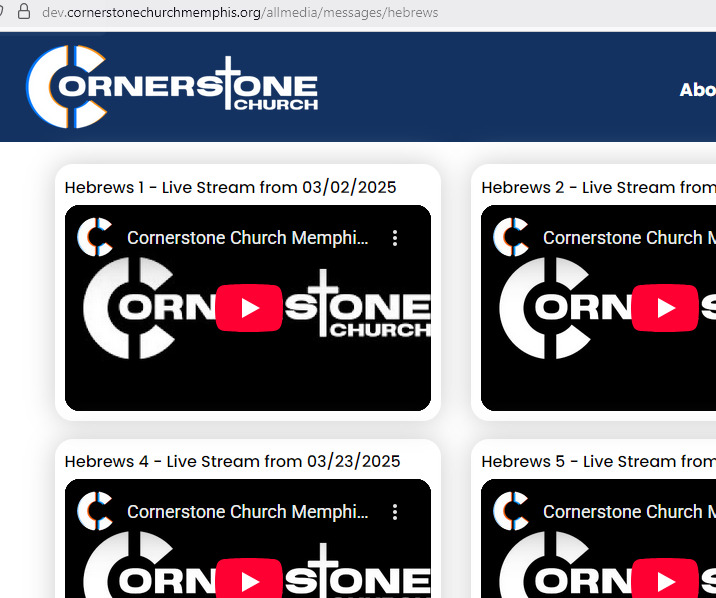
Click Media/Sunday Morning Messages. As you can see, the '>' symbol appears on this menu however the actual title and link for the page of videos (Hebrews) is not showing up. I set the Link Type\ Display Menu Item Title and Display in Menu both to Yes. (https://dev.cornerstonechurchmemphis.org/allmedia/messages/hebrews) is the actual page that should be displayed when clicking the > symbol.
I don't see a way to attach a screenshot to my post. Any idea as to what I'm missing here?
Thanks, Chris
11 Answers
Order by
Oldest

Rashida Rahman
Accepted AnswerHi Chris,
I hope you’re doing well. I’m sorry for the experience you’ve had so far.
To look into this issue more closely, could you please share temporary Super Admin access (inside the hidden content box)? I’ll check this and update you as soon as possible.
Please make sure to keep a full site backup before sharing the credentials, just to be safe.
Best regards,
CA
Chris Austin
Accepted AnswerHi Rashida,
Plz find SuperAdmin creds in the Hidden Content area. I should probably clarify that the only reason I want to unhide the video pages on the menu is because these YouTube videos on each Messages page are not showing up in the Google Search Console. As such they are not being indexed as available videos on our site.
Here is the sitemap for our prod site: https://cornerstonechurchmemphis.org/sitemap-xml
Please note I do NOT have this sitemap setup on our dev site. I simply wanted to show how these Messages pages are listed on the sitemap. If I unhide these pages and add them to visible menus, I assume that these YouTube videos will then be indexed and available in the Google Search Console as videos. Is my assumption correct?
If there is a better/easier way to add all of these videos to the Google Search Console please let me know. :)
Thanks,
Chris
Rashida Rahman
Accepted AnswerHi Chris,
Thanks for the access.
I have added a new test menu item named "Hebrews testF" and it is visible on the frontend. Please check and do let me know.
Best regards,

Paul Frankowski
Accepted AnswerHoi Chris,
from what I see it's OK, but it request more time to load so many videos thumbs
CA
Chris Austin
Accepted AnswerOk. So yes, the new 'Hebrews Test F' menu is exactly what I was asking for. What did I do wrong with the original Hebrews menu entry? (I set the Link Type\ Display Menu Item Title and Display in Menu both to Yes so why didnt it show up.) Can you please provide the steps to get this new menu entry to show up like that?
Please note that neither of you responded to the actual question of why I wanted these hidden menus to be accessible on the main menu bar in the first place.
If I unhide these pages and add them to visible menus, I assume that these YouTube videos will then be indexed and available in the Google Search Console as videos. Is my assumption correct?
Here is the sitemap for our prod site: https://cornerstonechurchmemphis.org/sitemap-xml
Please note I do NOT have this sitemap setup on our dev site. I simply wanted to show that these Messages pages are indeed listed on the sitemap. Currently, even though the video pages are listed in the sitemap, the Google Search Console does not list ANY videos at all on my site.
We should have multiple videos indexed from these sections on our site. https://cornerstonechurchmemphis.org/allmedia/messages (Each page has multiple videos hosted on YouTube) https://cornerstonechurchmemphis.org/allmedia/invitation (These 2 videos are hosted on the actual site)
From the search console: https://support.google.com/webmasters/answer/9495631
- This report shows the validity of structured data items that define videos. To see which videos were indexed, and reasons for not indexing, visit Indexing > Video indexing.
https://support.google.com/webmasters/answer/7552505
- This report is about video indexing status. If any video structured data items were found on your site, they will be reported at Enhancements > Videos.
Both of these search console reports display the same message: "We did not find any data. Please check back later."
Why are none of our videos being indexed? Is there is a better/easier way to add all of these videos to the Google Search Console index? Note that we have an awesome Google PageSpeed Insights score on our site as it currently stands and I definitely don't want to mess that up. (100 Performance, etc) :) https://pagespeed.web.dev/analysis/https-cornerstonechurchmemphis-org/mxlbpimmup?form_factor=desktop
Thanks,
Chris
CA
Chris Austin
Accepted AnswerHello,
Would Rashida or Paul respond please to my post above?
I can find no difference whatsoever in the menu item that I had created now titled 'Hebrewss' and the one that Rashida created named 'Hebrews testF.' Why is the one that Rashida created showing up on the menu but the other one did not display the same way?
Also, any information you can provide about our videos not being indexed in the Google Search console for our prod site, would be greatly appreciated.
Thanks,
Chris
Paul Frankowski
Accepted AnswerChris, about 2nd question.
We are not Google Support, so I cannot exactly tell you why. But you can create a separate sitemap only for videos and add to Google Search Console. OR you can also manually add all video links to current sitemap as .mp4 file - and that may help after X days.
Offcial guide: https://developers.google.com/search/docs/crawling-indexing/sitemaps/video-sitemaps?hl=en
About Youtube clips, Sitemaps do not include them becuase those are iframes (!) video on separate site. So it will not be indexed. If you have your own YT channel, it's totally GOOD and recommended to share words.
Paul Frankowski
Accepted AnswerAbout 1st question, can you share (again) in Hidden Content a link where you don't see video clips and they should be ?
CA
Chris Austin
Accepted AnswerHi Paul,
Re. question 2 -What does this mean? "If you have your own YT channel, it's totally GOOD and recommended to share words." All of the videos on the Sunday Morning Messages pages are hosted on our YouTube channel. What 'words am I supposed to share?' Note that there are 2 videos on the "An Invitation from our Pastors" page that are hosted within our Joomla site itself. So shouldn't at least those 2 videos be indexed?
Re. question 1, if you browse the dev admin site now, I can find no difference whatsoever in the menu item that I had edited now titled 'Hebrewss' and the one that Rashida created named 'Hebrews testF.' Why is the one that Rashida created showing up on the menu but the other one did not display the same way? I'm trying to understand why her new menu worked but my edits to the current menu did not.
Thanks,
Chris
Paul Frankowski
Accepted AnswerIf menu item created by Rashida works, just disable yours and use her. That's all. The IT world isn't 0101, as you might think.
@Rashida can you respond Chris
Words = Sermons. But let's skip this topic.
Rashida Rahman
Accepted AnswerHi Chris,
I'm not sure about the reason of why your menu item is not showing there.
I just created a menu item, selected it's parent, and it started to show in the intended level without any problem, that's it. As the menu item is working without changing anything else, hence I suppose there is no issue with the system. That's why I responded accordingly. I could not found if there is anything special with your menu item what is causing the issue. I think it will be better/wiser if you create a new menu item or use the item I have created already.
Best regards,