

Installation
Installing Power Admin is the same as installing any Joomla extension. Download the .zip file of Power Admin from JoomShaper website.
Then from your Joomla dashboard:
1. Navigate to Systems > Install section > Extensions.
2. Choose the Upload Package File tab.
3. Now, you can drag and drop the .zip file of the Power Admin template or browse your device to upload the zip file. It will then automatically install the template.
4. Navigate to Systems > Templates section > Administrator Template Styles.
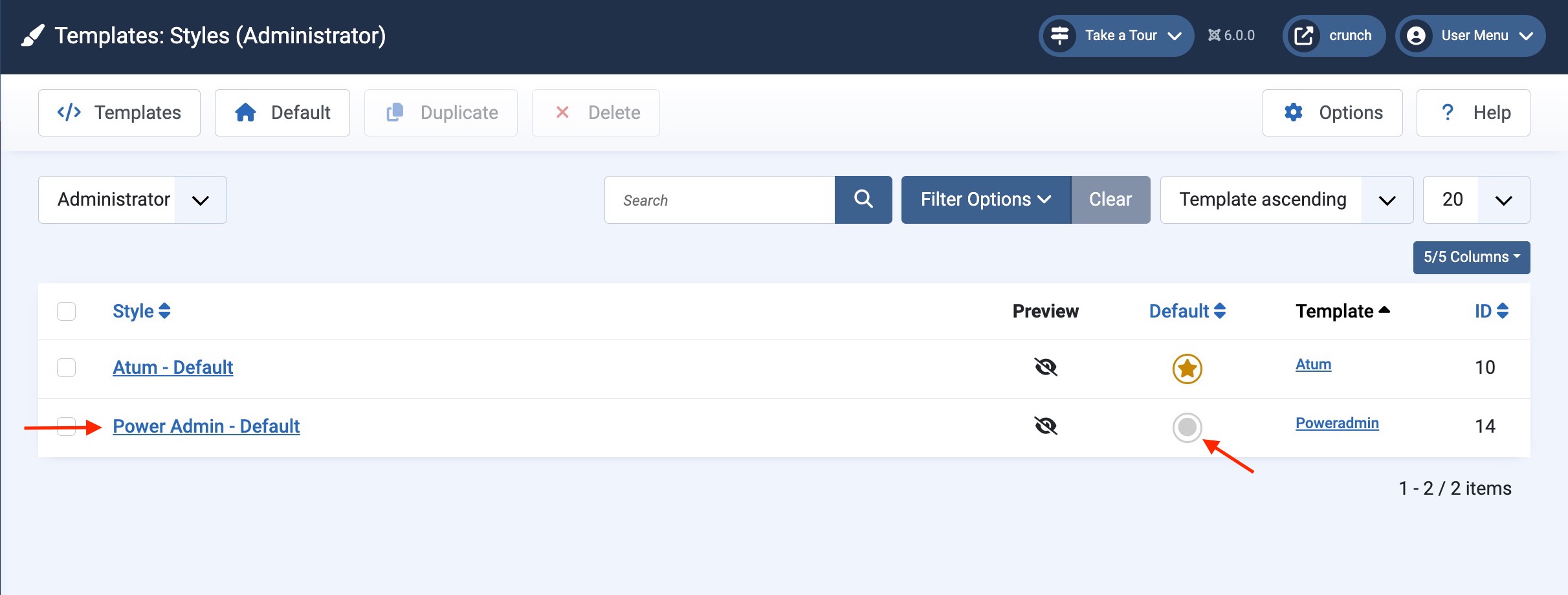
5. Set Power Admin as your default template.
Your Joomla administrator dashboard will instantly transform into the Power Admin interface.