Restock Abandoned Orders
Joomla 4, 5, 6
Updated 13 Oct 2026
1 min read
When products are left unpaid by customers longer than a certain time threshold, those orders can be automatically cancelled, and the items tied to those orders can be restocked and made available for purchase by other customers.
To configure this, follow these steps:
- First, go to System > Manage > Plugins and ensure that Task - EasyStore is enabled.
- Navigate to System > Manage > Scheduled Tasks and click on + New.
- Choose the EasyStore - Restock Abandoned Orders task type.
- Provide a title for the task type, such as “Restock Abandoned Orders” for your own convenience.
- You have several tabs, such as New Task, Advanced, Execution History, Details, and Permissions. These settings function identically to all other native Joomla tasks.
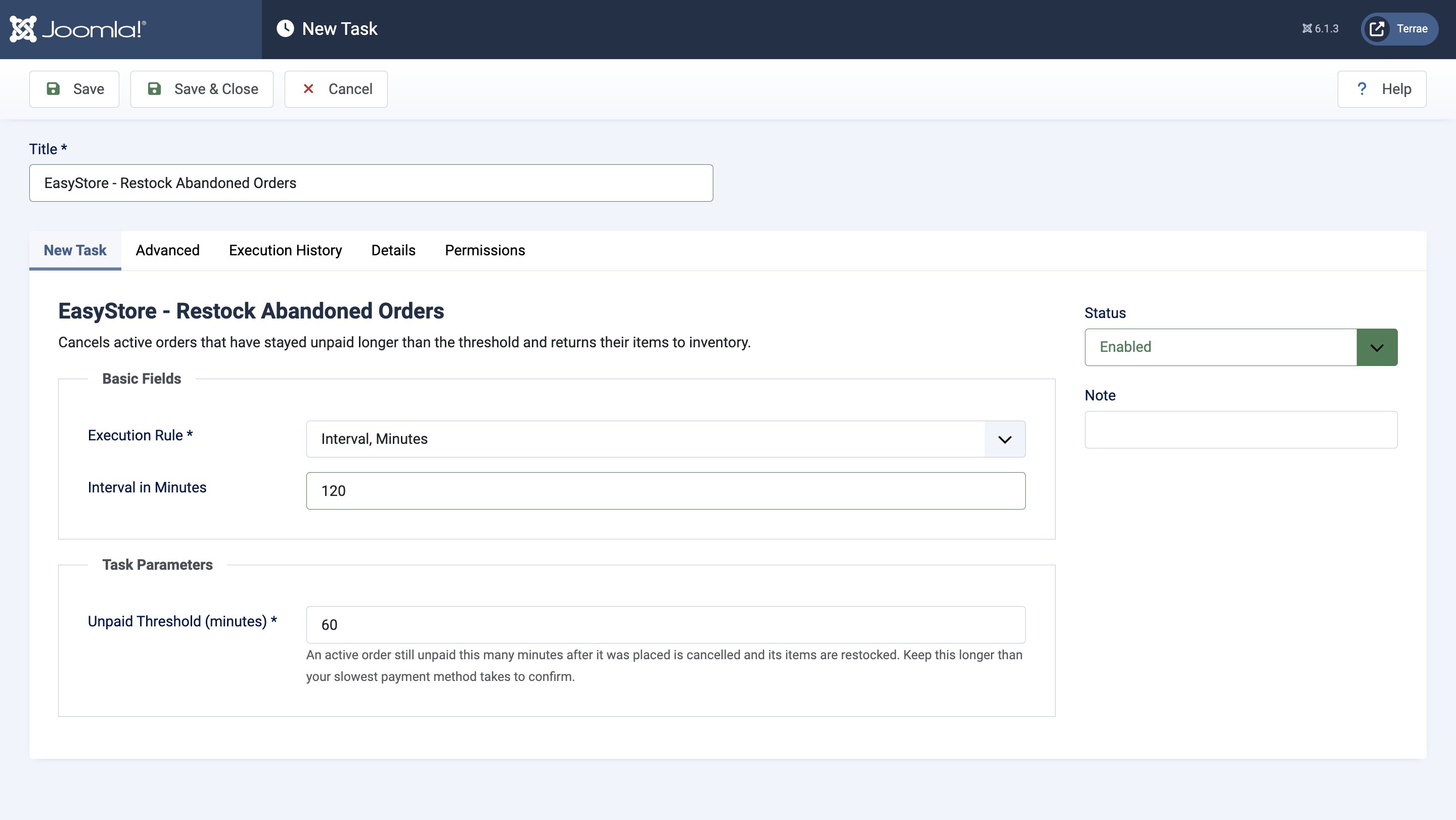
Under the New Task tab, check Task Parameters to find the settings specific to the Restock Abandoned Orders task.
You have the following customization options for this task type:
- Unpaid Threshold (minutes): Enter the number of minutes after which an active order that is still unpaid will be cancelled and restocked. It is recommended to set the number of minutes longer than the confirmation period of your slowest payment method to provide customers with reasonable leeway to make payments.