Wishlists
Joomla 4, 5, 6
Updated 10 Sep 2026
1 min read
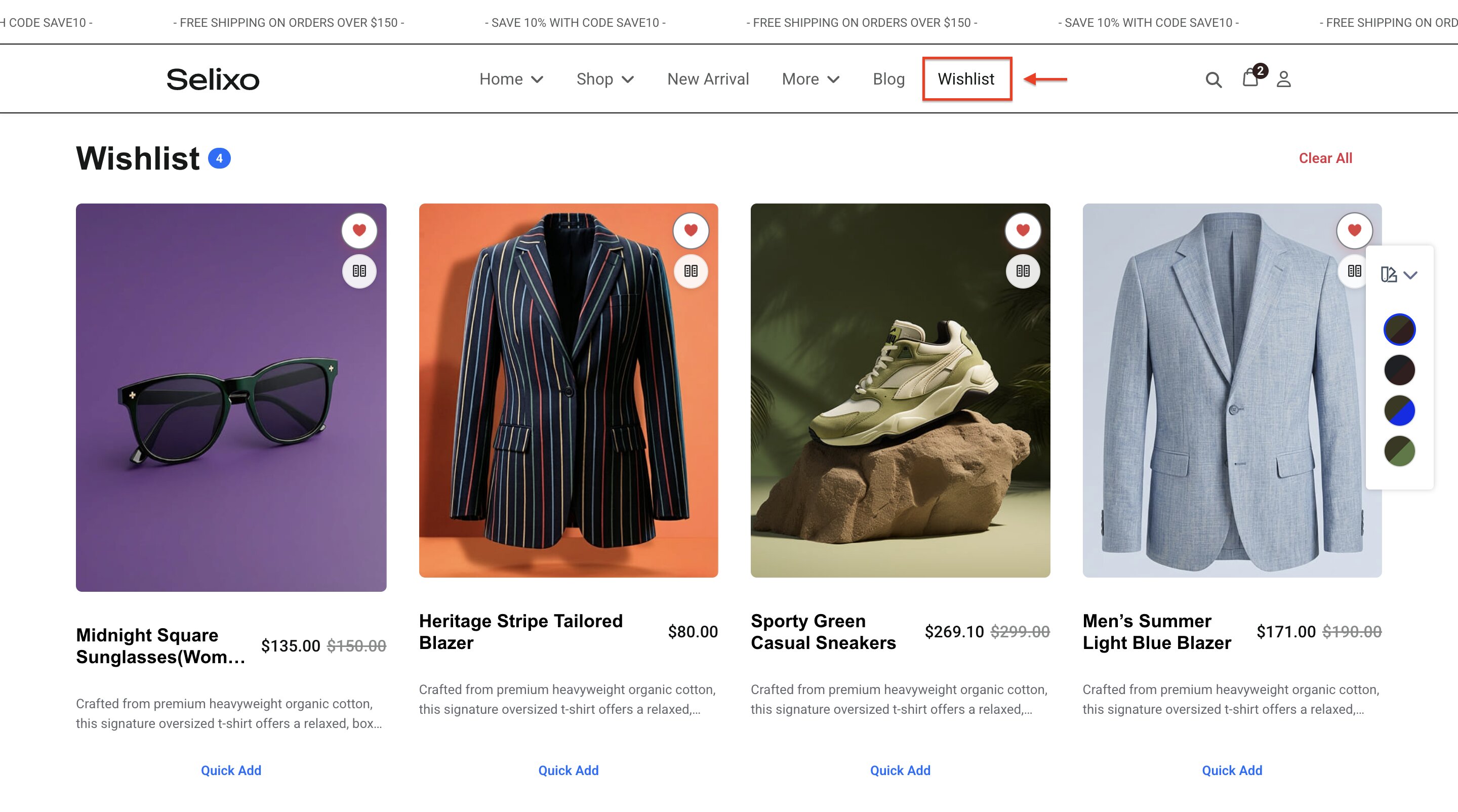
Products that have been wishlisted can be presented on a page, which can be linked from the menu. Customers can view their wishlists from your website's main menu at any time.
To set a Wishlist Menu Item, follow these steps:
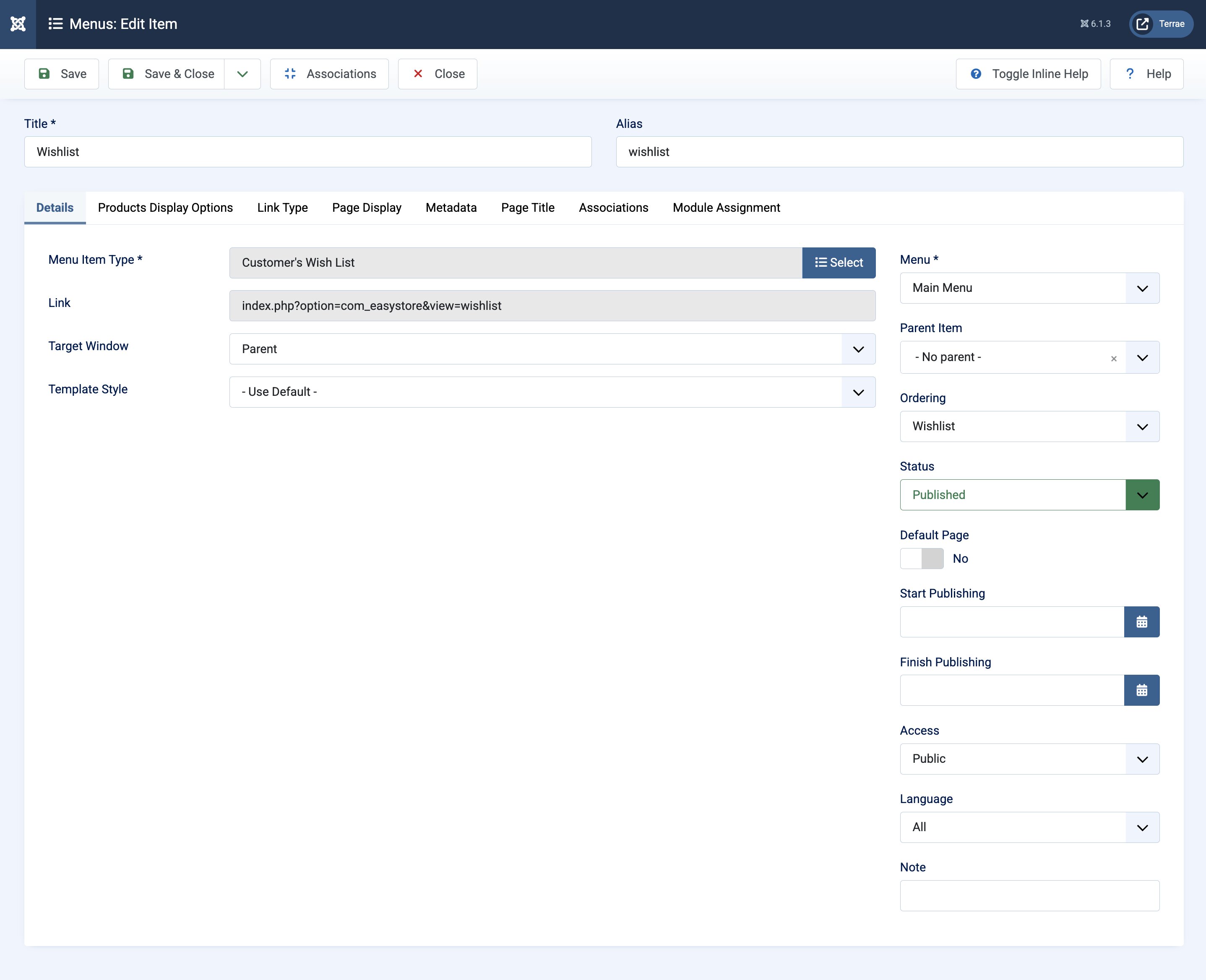
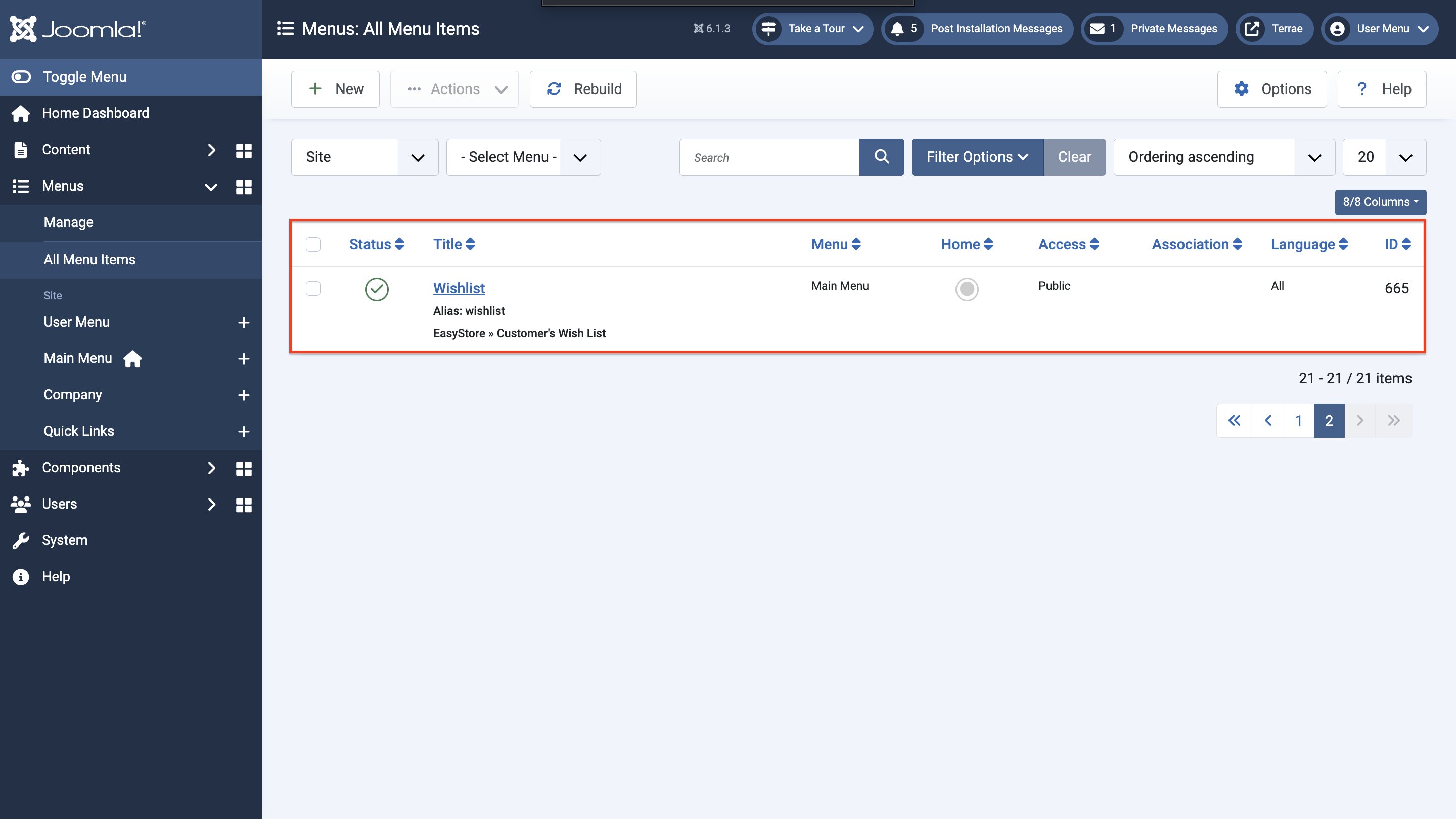
- From your Joomla dashboard, go to Menus > All Menu Items and click on + New.
- Provide a title for the menu item, such as “Wishlist”.
- Set the Menu Item Type by clicking on Select and choosing EasyStore > Customer’s Wish List.
- Set the Menu placement to Main Menu.
- Under the Product Display Options tab, you can customize the way the wishlisted products will be displayed. Available options include “Grid Columns”, “Items Per Page”, and “Show Clear All Button”.
- Click Save once you are done with the changes.