Languages
SP Page Builder is multilingual-friendly and can be translated easily. As a first step, you can install a premade translation from the extension itself.
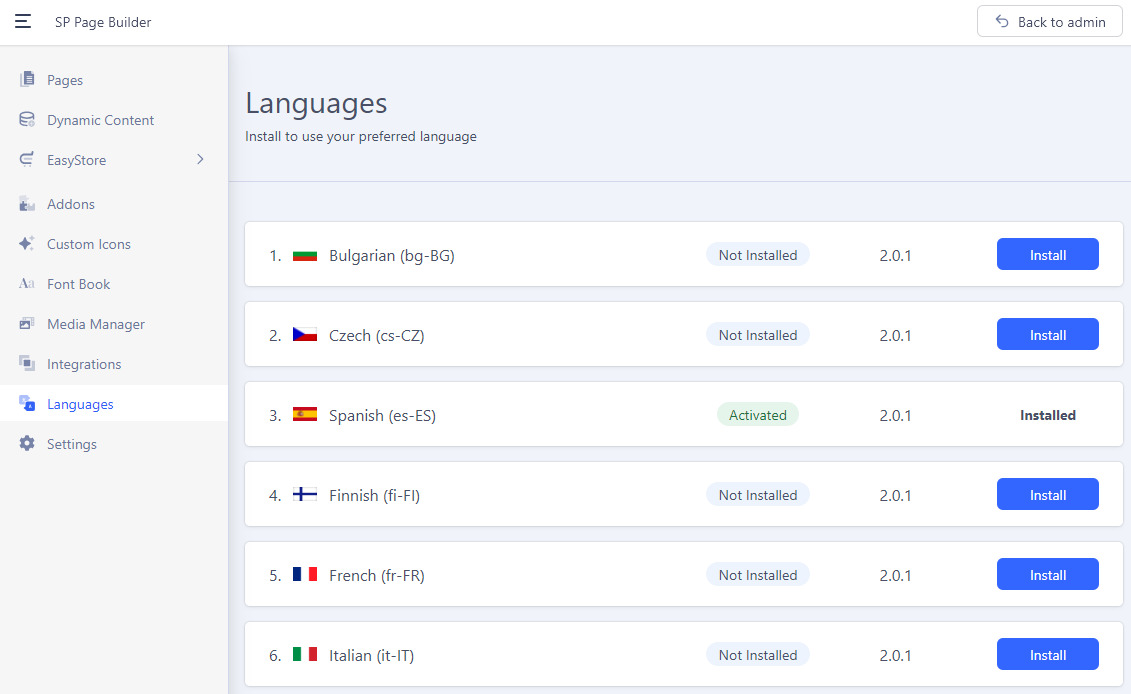
To do that, go to SP Page Builder Dashboard > Languages.
From the list, select your preferred language and install it.
You can correct phrases and/or make your own translation. Here are the main language files used by SP Page Builder in the admin and front-end views:
- administrator\language\en-GB\en-GB.com_sppagebuilder.ini
- administrator\language\en-GB\en-GB.mod_sppagebuilder_admin_menu.ini
- administrator\language\en-GB\en-GB.plg_content_sppagebuilderloadmodule.ini
- language\en-GB\en-GB.com_sppagebuilder.ini
- language\en-GB\en-GB.mod_sppagebuilder.ini
If you want to correct or translate just a few phrases, first find them, and then use the Joomla Language Override system.
Before you can translate your SP Page Builder into a new language, you need a working multilingual website that has that language as the default language - read tips on how to set/create a multilingual site in Joomla .