

Single Product Module
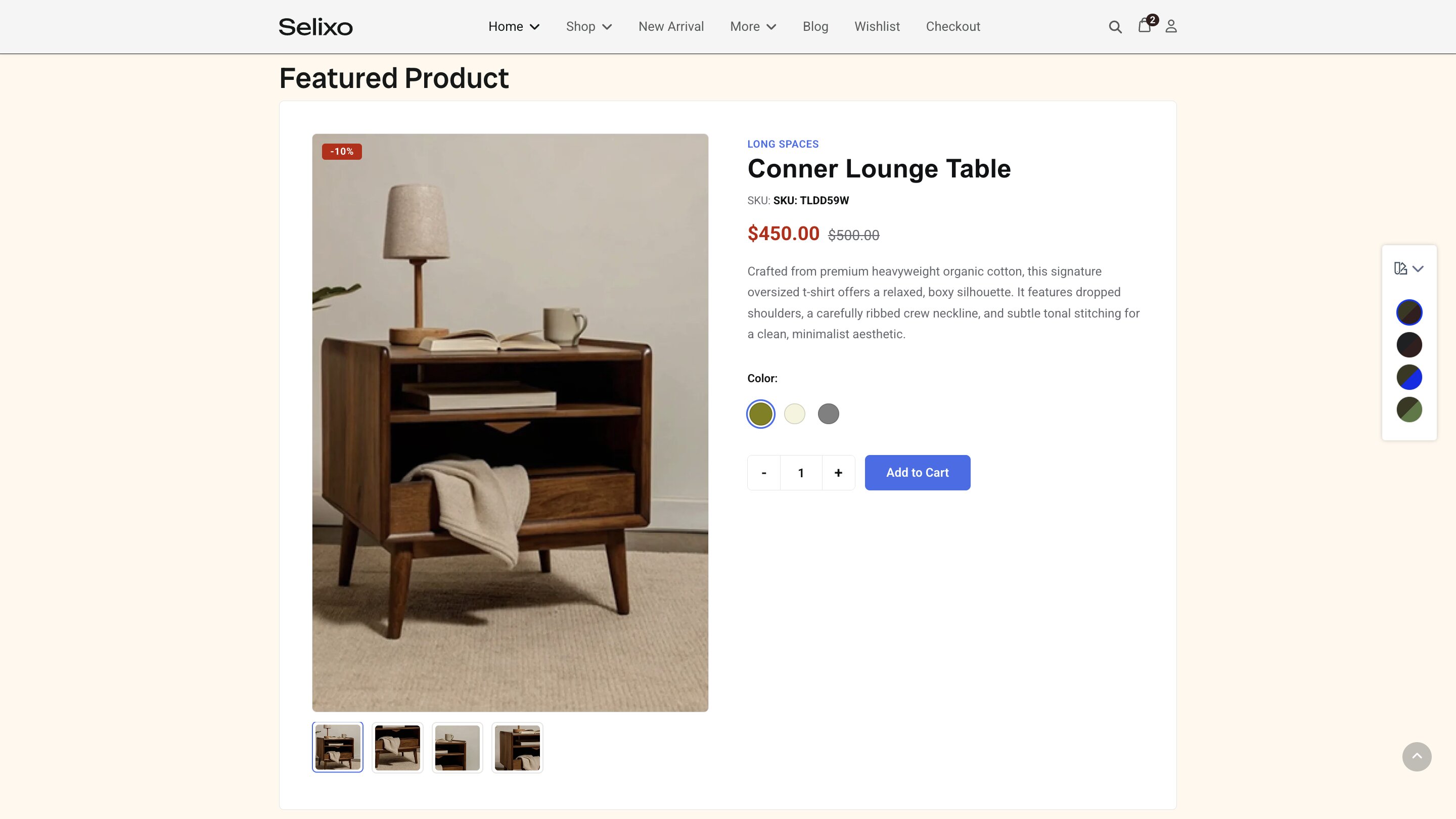
With the Single Product module, you can feature a single product, its attributes, and interactive elements on any page, using custom layouts.
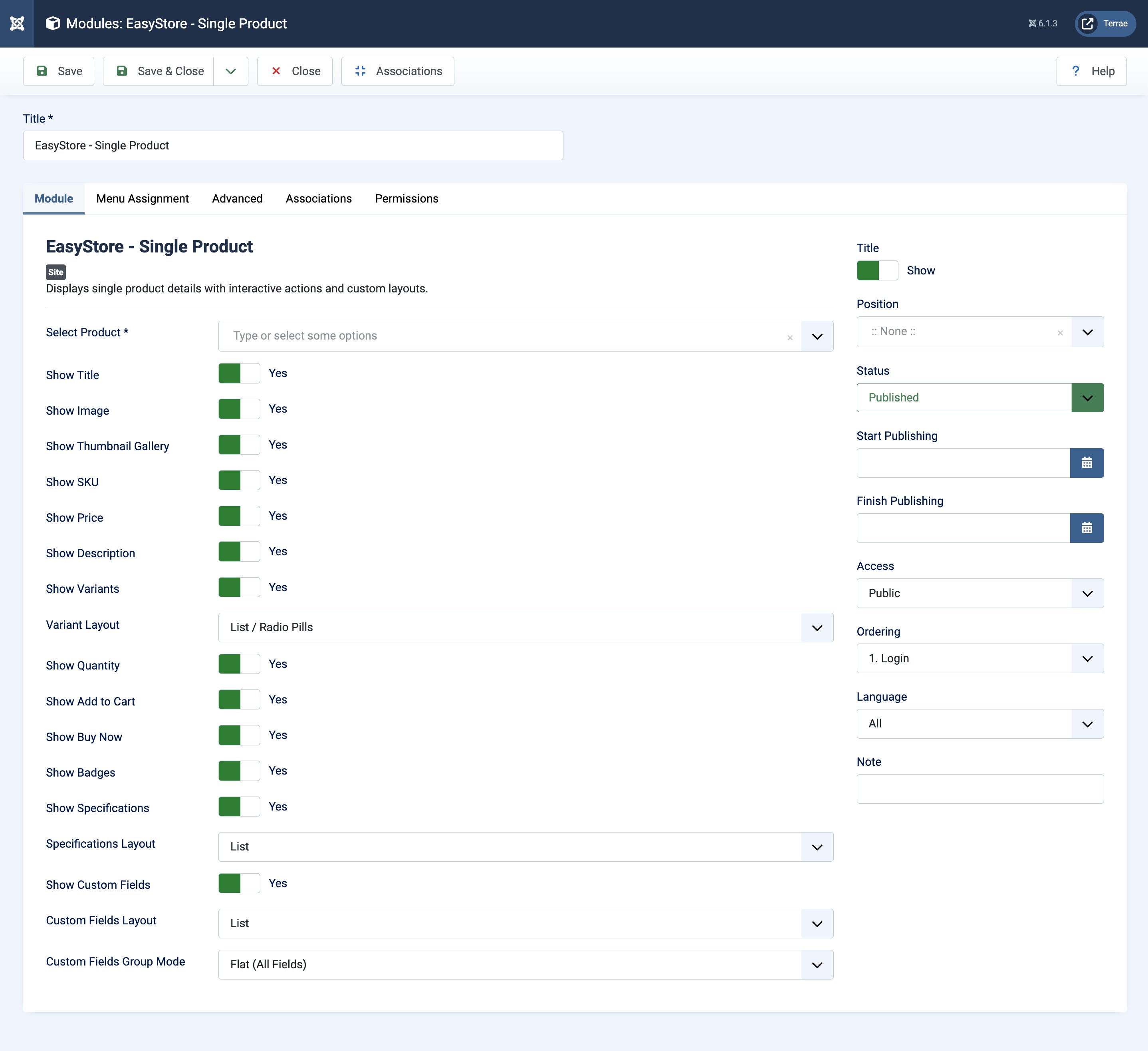
List of things you can edit:
Select Product: Choose the product to be displayed in the module.
Show Title: Enable this to display the title of the product.
Show Image: Enable to display the image of the product.
Show Thumbnail Gallery: Enable to display the thumbnail gallery so that users can shuffle through the product’s images.
Show SKU: Enable to display the product SKU.
Show Price: Enable to display the price of the product.
Show Description: Enable to display the description of the product.
Show Variants: Enable to display the variations of the product. Once enabled, a separate setting called Variant Layout will appear where you can set the layout of the variants to either a “List / Radio Pills” style or a “Dropdown / Select” style.
Show Quantity: Enable to display the quantity of the product.
Show Add to Cart: Display the Add to Cart button.
Show Buy Now: Display the Buy Now button.
Show Badges: Display product badges.
Show Specifications: Enable to display the specifications or additional data of the product. Once enabled, a separate setting called Specifications Layout will appear where you can set the layout of the variants to either a “List” style or a “Table” style.
Show Custom Fields: Enable to display the custom fields of the product. Once enabled, two separate settings will appear.
Custom Fields Layout: Choose a layout between “List”, “Table”, “Grid”, “Badges”, and “Inline”. Custom Fields Group Mode: Choose field group modes between “Flat (All Fields)”, “Accordion”, “Tabs”, and “Grouped Sections”.
How to Change Layout of The Single Product Module
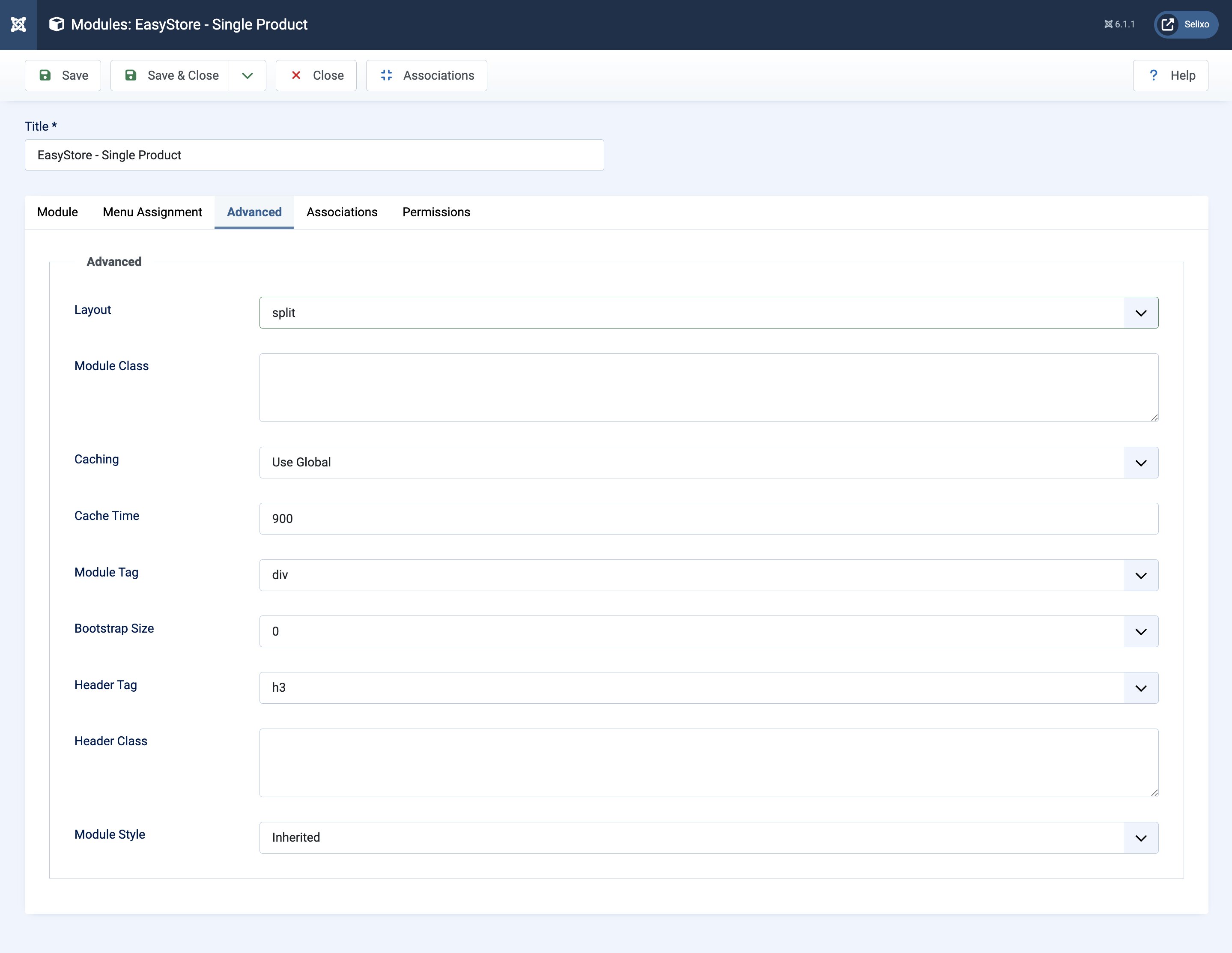
To change the layout of the module, go to Advanced > Layout and choose among the following layout options:
- Compact
- Default
- Hero
- Split